PingDrop
Your Android phone, on your Mac — no account, no cloud.
- When
- Mar 2026 – Present
- Status
- Shipped
- Area
- Systems
- Role
- Sole author — both platforms
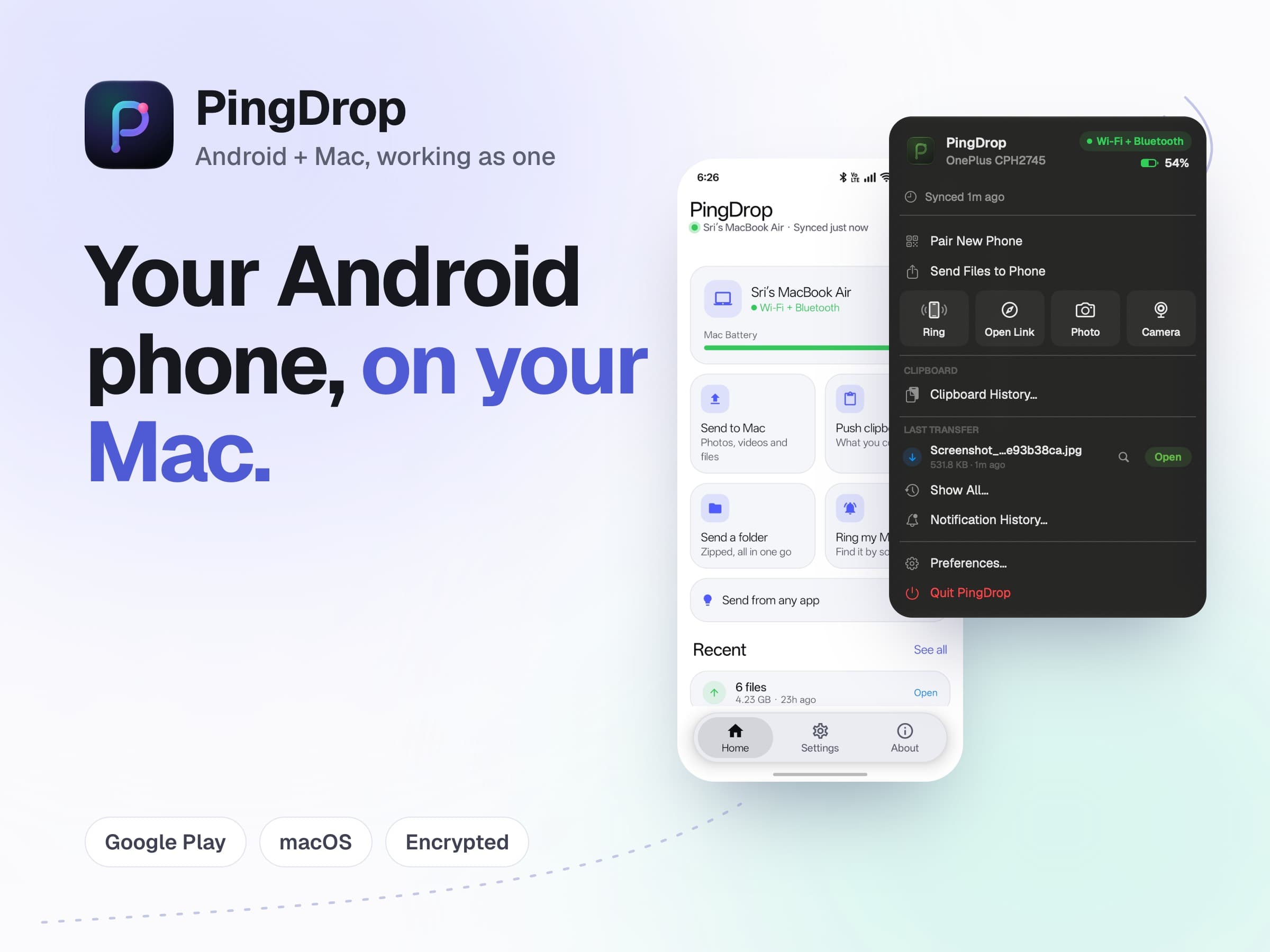
Live on Google Play and as a notarised Mac app. Notifications, calls, clipboard and files move between an Android phone and a Mac with no server in the middle — over Bluetooth LE when that is all there is, over Wi-Fi when speed matters, switching between them without dropping the session.
In short
- Two transports, one session: Bluetooth LE for presence and small messages, Wi-Fi TCP for throughput, with automatic handover.
- AES-256-GCM on the wire; nothing leaves the local network and there is no account to sign into.
- Notification mirroring with replies, calls (including WhatsApp), clipboard sync, file and folder transfer, the phone as a Mac webcam, a walk-away lock, a desktop widget and Siri Shortcuts.
- Shipped and run end to end: Play releases and in-app billing, notarised Mac builds with in-app auto-updates, the website and the launch.
The problem
Every existing answer to this routes your notifications through somebody's server. That is a real privacy cost and a real dependency — the feature stops working when the company does. Building it peer-to-peer removes both, but replaces them with a harder engineering problem: without a server there is no stable rendezvous point, so the two devices have to find each other, agree on a transport, and survive that transport disappearing mid-session.
Constraints
- No cloud, no account, no relay — the two devices must find each other on their own.
- Bluetooth LE has tiny MTUs and low throughput; Wi-Fi is fast but not always the same network.
- Two entirely different platform APIs, and neither can be a thin port of the other.
- A phone in a pocket sleeps aggressively — the connection must be assumed dead and recoverable, not persistent.
How it works
Android
Kotlin service
Bluetooth LE
discovery + control
Transport selection
same network?
Wi-Fi TCP
bulk payloads
AES-256-GCM
shared session key
macOS
Swift menu-bar app
Decisions
Keep both transports live rather than picking one at connect time.
Instead of: Negotiate a single transport on connect and reconnect from scratch on failure.
BLE is reliable and cheap but slow; Wi-Fi is fast but disappears when either device changes network. Treating BLE as a permanent control channel means the session survives Wi-Fi vanishing — the devices stay aware of each other and re-open the fast path when it returns, instead of dropping to a cold reconnect.
AES-256-GCM rather than encrypting only the payload body.
Instead of: TLS over the TCP channel, or trusting BLE's own pairing.
GCM is authenticated encryption, so it gives integrity as well as secrecy in one construction — a tampered packet fails to authenticate rather than decrypting to garbage. Relying on BLE pairing alone would have left the Wi-Fi path unprotected, and the two transports need the same guarantee for handover to be safe.
A native app on each platform rather than a cross-platform framework.
Instead of: Flutter, React Native, or Kotlin Multiplatform.
The features are precisely the ones that cross-platform frameworks hide: macOS menu-bar residency and notification-centre access, Android's notification listener and foreground-service rules. There is very little shared UI here — the shared part is the wire protocol, and that is a specification, not a library.
What broke, and the fix
Reconnection was the hard part, not connection. A phone that sleeps, moves out of range, or switches Wi-Fi leaves the Mac holding a socket that looks alive and is not.
Persistent reconnection driven by the BLE channel rather than by TCP timeouts — BLE presence is the source of truth for whether the peer exists, and the TCP session is treated as disposable.
Notification mirroring without filtering is unusable. Every Android notification arriving on the Mac is noise, not a feature.
Per-app filtering, with the filter enforced on the Android side so filtered notifications are never transmitted at all — cheaper on the wire and better for privacy than filtering on receipt.
What’s next
Next on the list: the phone's screen on the Mac (reusing the webcam pipeline), camera filters for the webcam, and a wired USB mode for very large files.